 LEAN
A browser with
nothing in the way
Try it
j k d u gg G scroll this website, the way they scroll any page in Lean.
Synopsis
Lean is a small macOS browser for people who work in a terminal.
Every action is a Vim key. Tabs sort themselves into your projects. The window wears your Ghostty theme. A local MCP server lets Claude Code read the page you are looking at.
It starts in under half a second and leaves out most of what other browsers add. In essence, it is lean because of what is missing.
Alpha
- a buildLean for macOS, and every update while the alpha runs
- a direct lineyour bug reports and wishes go to the person who writes the code
- no stringsyour email is used for the invitation and nothing else. What is stored
Screens
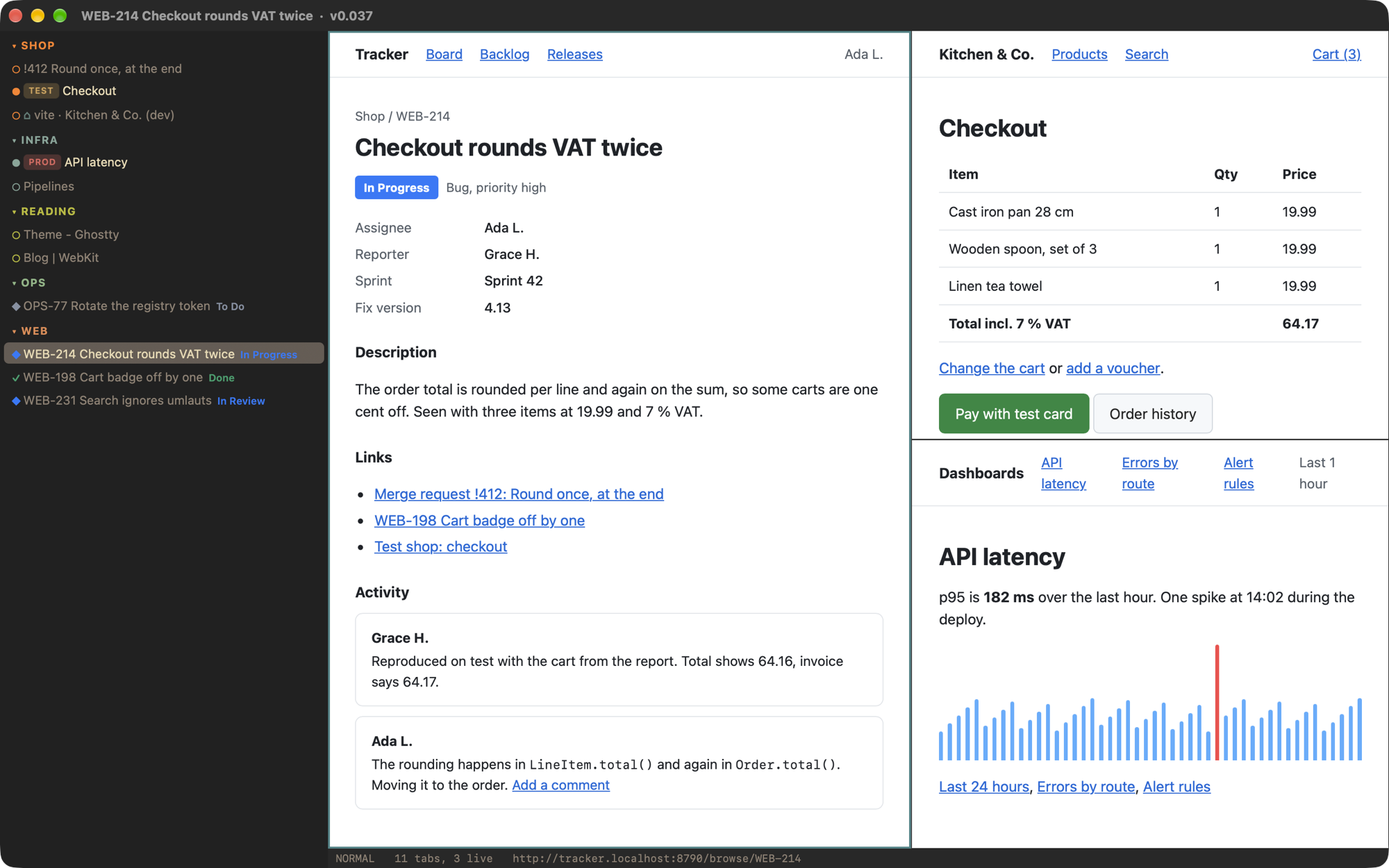
Keys
- ] [
- projects URL rules sort every tab into a sidebar group; Jira issues show their status colour; test, production and localhost carry a mark
- f F
- link hints a label on every link and button; type it to follow, here or in a new tab
- T o
- palette search open tabs or open an address; your quick-launch entries are in the same list
- <C-w>v
- panes split the window like a terminal, up to six; the layout survives a restart
- gl gL
- Proton Pass fills login and one-time code after Touch ID; checks the address first; keeps no password
- gd gX
- developer tools the full Web Inspector, and a new process for a page that hangs
- / n N
- find in the page, next, previous
- g,
- settings rebind any key; everything is one JSON file, made for your dotfiles
The defaults follow Vimium, so your fingers already know most of them.
Themes
Click one; it repaints this site the way gC repaints Lean. Set
"theme": "ghostty" and Lean takes colours and font from your Ghostty config.
Claude Code
Claude Code can list your tabs, read a page, take a screenshot and open an address. Enough to say “look at the error in the tab I have open”.
$ claude mcp add --transport http lean http://127.0.0.1:8719/mcp \
    --header "Authorization: Bearer $(cat ~/.config/lean/mcp-token)"
- reads
- and navigates. No tool clicks, types or runs a script in a tab where you are logged in.
- refuses
- requests without the token, from web pages, and from the network.
- is attacked
- on purpose: a script that ships with Lean goes at a throwaway copy with stolen tokens, look-alike host names, floods and a hostile page.
Numbers
One Mac, 12 November 2026; the benchmark script ships with Lean. Lean keeps the 8 tabs used last awake and puts the rest to sleep. With all 16 awake it used 2,259 MB, more than Chrome: the saving comes from sleeping tabs, not from magic.
Left out
extensions- Chrome extensions cannot be loaded
passkeys- need a permission Apple grants to few browsers
history- and bookmarks; open tabs and quick-launch entries are all there is
ad blocking- not built in
private windows- one window, one profile
own engine- pages are drawn by the WebKit of macOS; fixes arrive with system updates
If you need one of these every day, Lean is your second browser, not your first.
Platforms
- macOS
- now closed alpha, macOS 13 or later
- Linux
- likely next Linux has the same engine family (WebKitGTK), so pages, keys and your config file would behave the same. Not started.
- Windows
- maybe Windows has no system WebKit, so Lean would sit on a different engine there. Only if enough people ask.
Want it on Linux or Windows? Say so in --note when you
request access. That decides the order.
Coffee
Lean is free. If you like where it is going, you can buy its maker a coffee.
$ lean coffee --buy ko-fi.com ↗